

Skip to content
|
Blumenau, SC — Brasil

Multichannel platform

Connected service. Every sale has a next step.

Bring WhatsApp, Instagram, Facebook, email and webchat into your team's workflow. Combine conversation history, AI and a sales pipeline to keep every opportunity moving.

Open Duosis CRM

Access it on desktop or mobile

Runs in the browser with no app-store download. On mobile, save a shortcut to your home screen.

Official Meta API
Multi-agent
Built-in CRM
Web + mobile
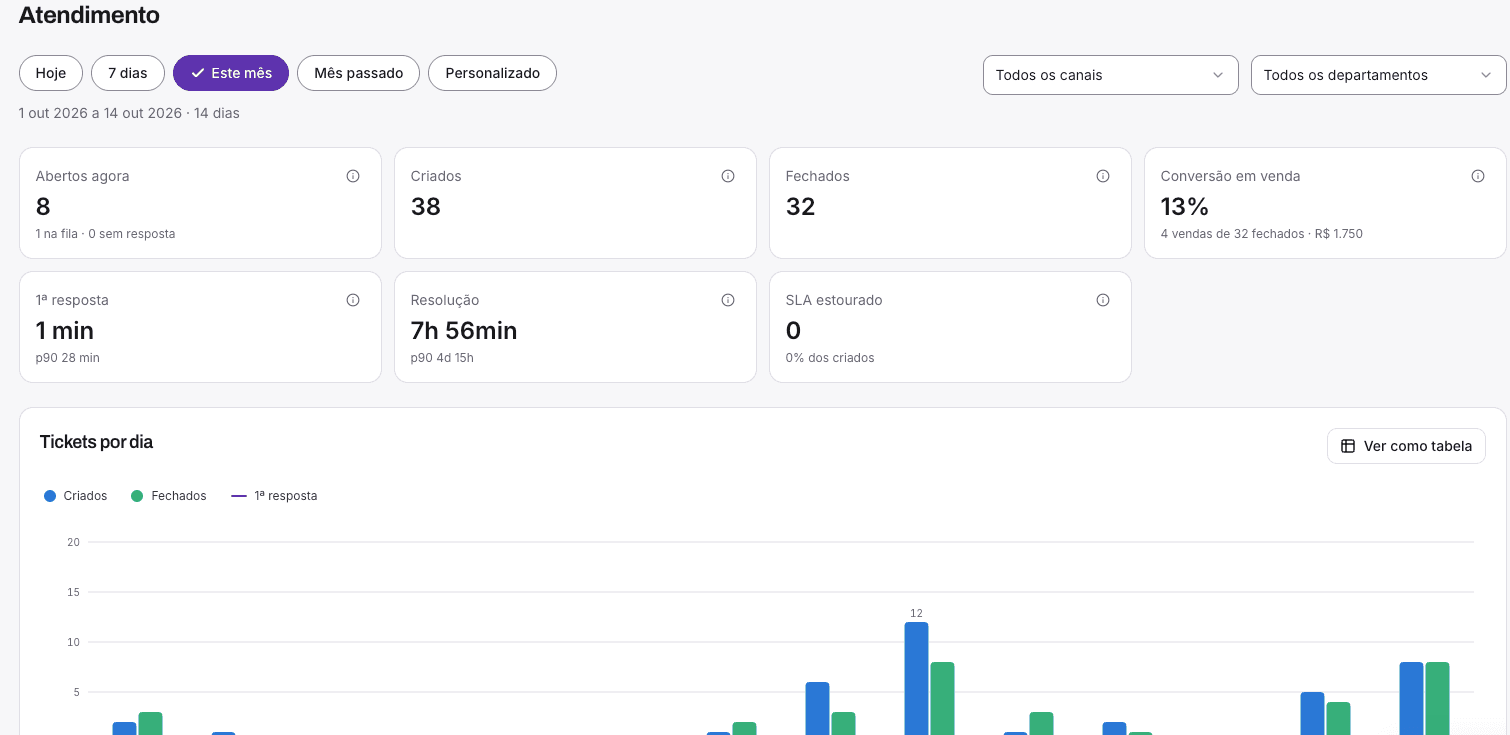
CRM dashboard with open conversations, first response time and daily service volume
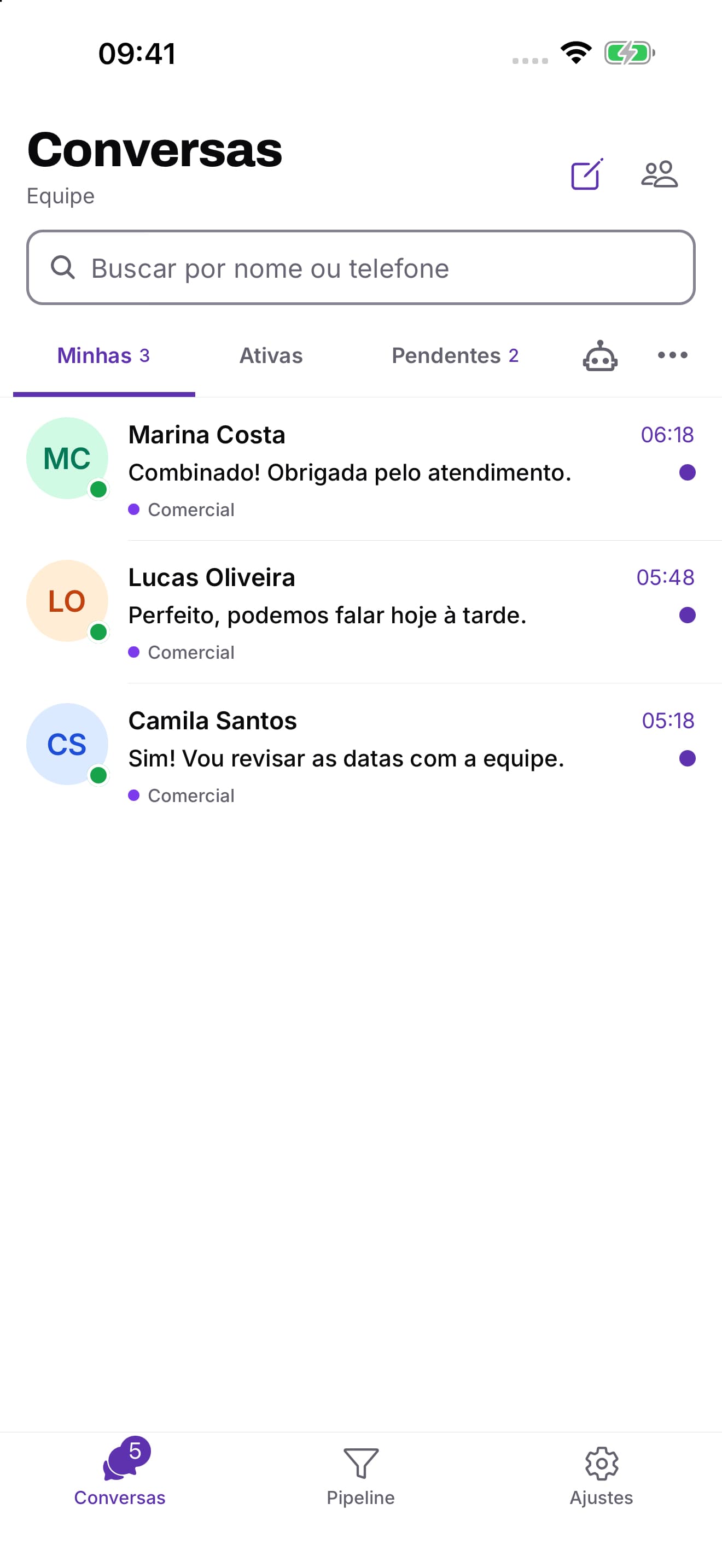
Conversation inbox on mobile
Explore the workflow
Actual platform screens with demonstration data.

Companies that count on Duosis CRM

  • Farmais Vale Europeu
  • Mazzinox
  • Blu Terrace Hotel
  • Villano Hotel
  • Lavita Imoveis

A guided look at the product

From the conversation to the next sales step.

Watch the 48-second overview or choose a chapter. See what to look at and how each view supports your team.

See it with your team's workflow

Ask about the channels, rules and steps your operation needs.

Resources that work together

Everything you need in one place

Connect channels, people and sales stages. Explore what each feature does and how to use it in your operation.

Multichannel inbox

WhatsApp, Instagram, Facebook, email and webchat with conversation ownership and history.

How it works in practice

A contact arriving through WhatsApp or your website chat enters the service workflow. The team follows conversations from connected channels in one dashboard.
AI-powered service

AI answers within the context you configure, qualifies contacts, and hands the close to a person.

How it works in practice

Configure the AI's context and instructions to answer initial questions and qualify requests. When a person is needed, the team takes over with the available context.

Official WhatsApp API

An operation connected to Meta's official infrastructure.

How it works in practice

Connect the company's number to the official API. Setup includes guidance on channel configuration and templates for messages that require them.

Owners and history

Every conversation has an owner, context, and a visible next step.

How it works in practice

Before replying, review the contact, previous service and related opportunities. Assign the person responsible for the next step.

Sales pipelines

Organize opportunities by stage, value, task, and owner.

How it works in practice

Record the proposal value, stage and owner. Use tasks and the opportunity checklist to follow what still needs to be done.

Multi-agent support

Work as a team without losing context or duplicating replies.

How it works in practice

Organize your team by departments and owners. Route each conversation by subject while keeping its context available for follow-up.

Operational reports

Track customer service, pipeline, and results using your own operational data.

How it works in practice

Compare opened and closed conversations and track first response time. Use these signals to review how demand is distributed.

Segmented campaigns

Use filters, consent, and official templates with delivery, response, and cost reports.

How it works in practice

Filter the audience, check consent and use approved templates. Then follow delivery, response and cost in the campaign report.

See it in the product

Three moments from your team's daily routine.

Follow a demonstration contact through the actual app screens: conversation, opportunity and customer record.

The situation

A customer asks for information, then returns to discuss a proposal.

Inside Duosis CRM

Review what was discussed and continue from the agreed next step. The conversation stays available in the service screen.

What to track

First response time and conversations waiting for attention.

Watch the guided video
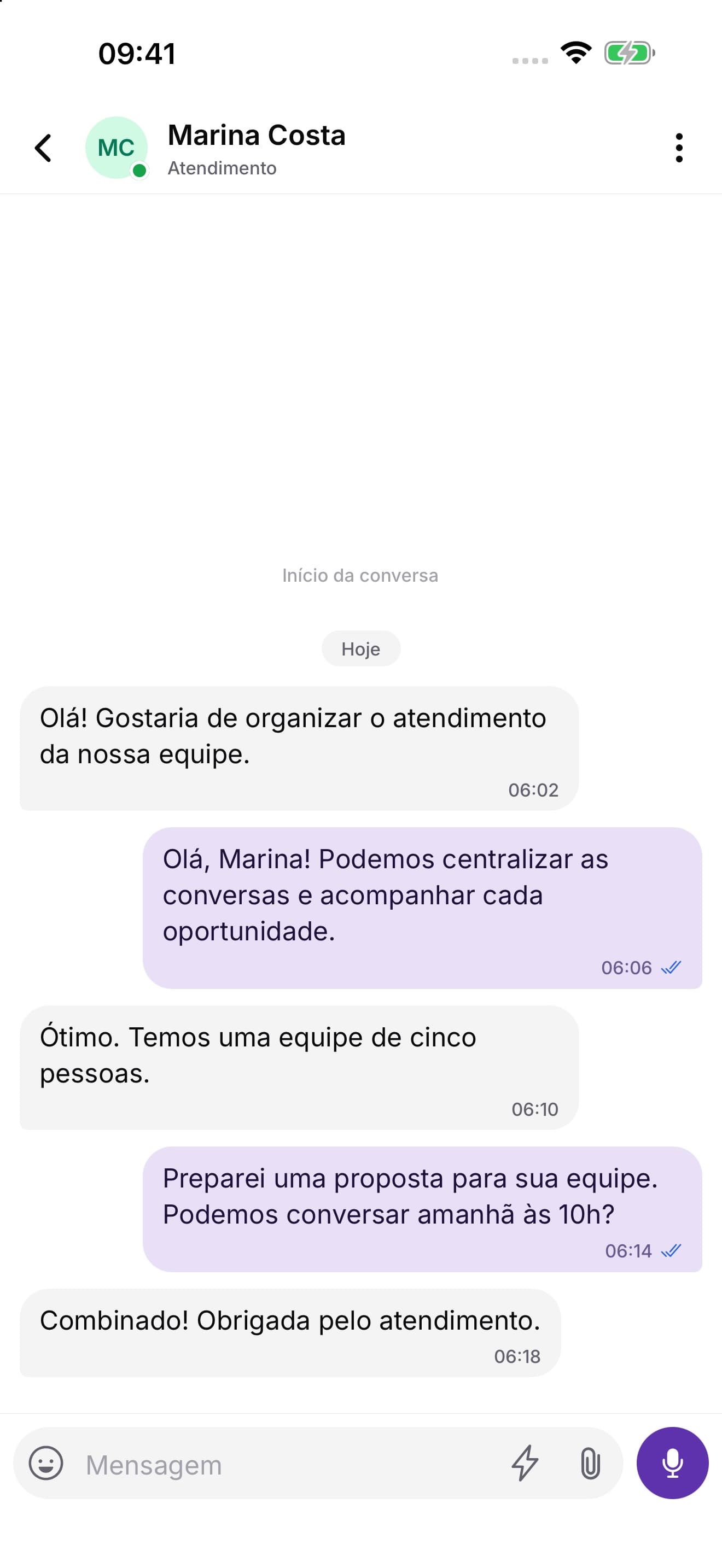
CRM conversation with messages from a demonstration contact
Actual interface · fictional demonstration contact

A customer case

Farmais Vale Europeu

Quicker replies and renewed contact with customers.

The previous challenge

WhatsApp blocks and slow responses made customer service harder to maintain.

Faster first responses

Service was organized to improve the time customers waited for their first reply.

A customer recovery workflow

A process was created to reconnect with customers who had stopped buying.

Discuss your team's challenges

Five ways to start a conversation

All channels in one place

WhatsApp, Instagram, Facebook, email and webchat. Bring your connected channels into the same service workflow, with history and clear ownership.

WhatsApp

Connect the official API and organize conversations with your team.

Service, qualification and follow-up.

Instagram

Bring Direct messages into your service workflow.

Turn an inquiry into the next conversation.

Facebook

Follow Messenger conversations alongside your other channels.

Keep messages from your page in the team's view.

Email

Handle messages from the connected email channel inside the CRM.

Follow requests that arrive by email.

Webchat

Let visitors start a conversation directly on your website.

From a browser visit to an ongoing conversation.

The webchat is right here.

Open it to see how a visitor starts a conversation with our team.

Platform access

Use it on desktop or mobile

Duosis CRM runs directly in your browser. There is no App Store or Google Play download required.

Open it in any modern browser
On mobile, save a shortcut to your home screen
Open Duosis CRM

Secure web access · automatic updates

Plans & Pricing

Public plans, without surprise proposals

Atendimento

Para organizar conversas, responsáveis e histórico em uma única caixa.

R$397/mês
    Recommended

    Vendas

    Para transformar conversas em oportunidades com um próximo passo claro.

    R$697/mês

      Escala

      Para equipes que querem operar campanhas segmentadas com controle.

      R$1.197/mês

        R$ 497 setup fee, waived on annual plans with two months free. Meta conversation fees and AI credits are billed separately.

        Frequently asked questions

        Clear answers before you get started.

        Learn about channel setup, users, campaigns and support. Choose a question to see the details.

        Does your operation have a specific need?

        Tell us how your team works. We can explain the setup and plan for your situation.

        Talk to Duosis

        Sim. O Duosis CRM usa a API oficial da Meta, e a implantação inclui a orientação necessária para conectar o canal.

        Ready to transform your customer support?

        Request a 15-minute demo and see how Duosis CRM organizes conversations and opportunities.